WebP to JPG
Convert your WebP files into JPG format easily using our free online WebP to JPG converter tool at Image Toolz.



WebP to JPG Convert WebP Images to JPG Format Free Online
I saved a product image from a website to send to a colleague. When she tried to open it, her photo viewer showed nothing, just a blank white screen and an error.
The file was WebP. Her software didn't support it. A quick conversion to JPG, and the problem was gone. That's how most people first discover why this matters.
What Is WebP to JPG?
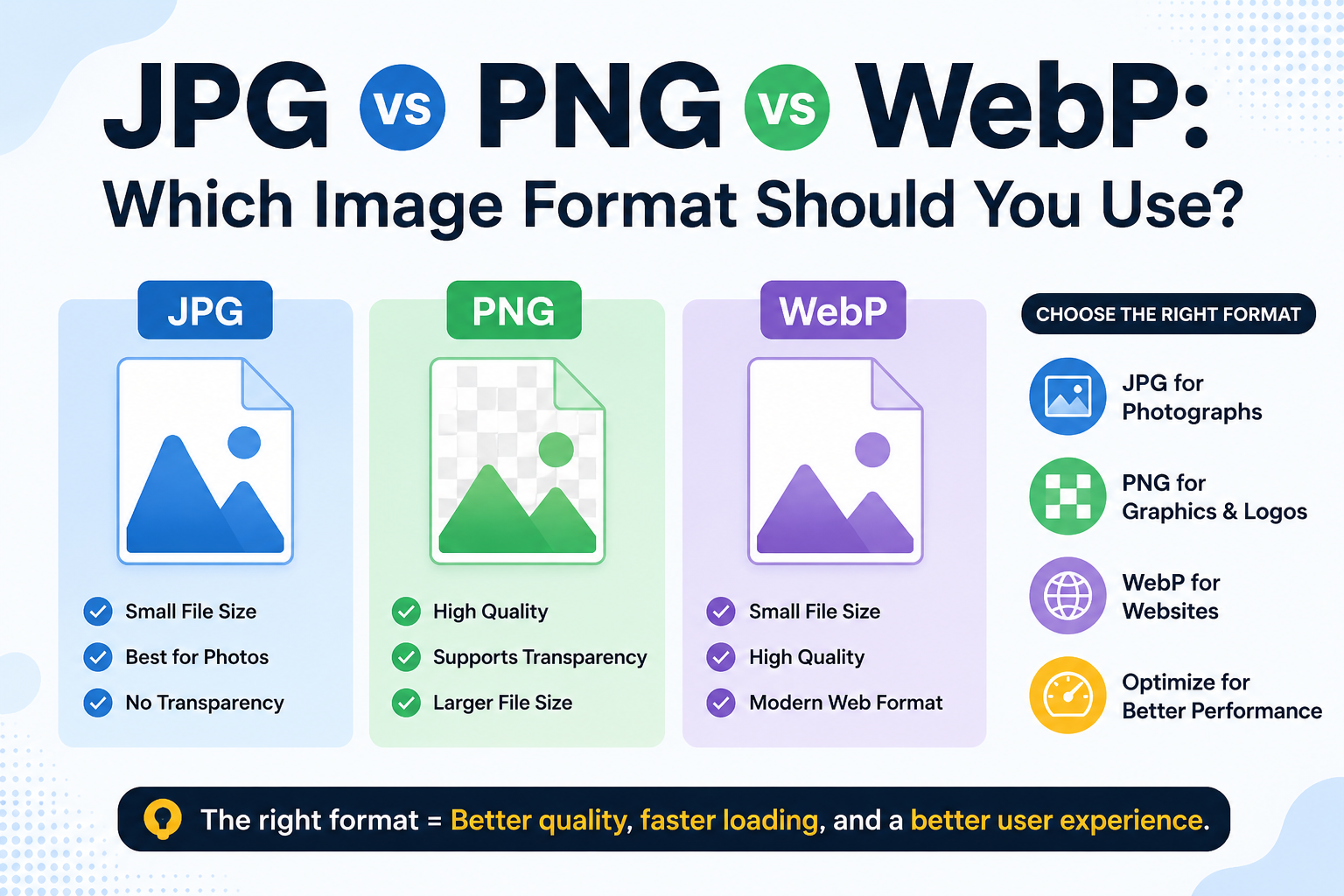
WebP is a modern image format designed to create smaller files. Browsers handle it beautifully, it's sharp, efficient, and widely used on websites today. But outside the browser, the story changes. Many photo editors, email clients, messaging apps, and older devices don't recognize it.
JPG has been around since the early 1990s and is accepted by virtually every device, every platform, and every piece of software you're likely to encounter.
A WebP-to-JPG converter converts your WebP file to JPG format. The image stays visually sharp, and you gain universal compatibility that WebP alone can't offer.
How to Use the WebP to JPG Tool
Straightforward process, no technical knowledge needed:
- Go to the WebP-to-JPG tool at imagetoolz.online
- Click "Choose File" and upload your WebP image
- Or use "Use Remote URL" to paste a direct link to any WebP image online
- Press "Convert"
- Download your JPG instantly
Use Cases of WebP to JPG Tool
- Opening images in desktop software: Photo editors like older versions of Photoshop and Paint, as well as many free viewers, don't natively open WebP files. Converting to JPG removes that barrier without needing a software update.
- Sending images via messaging apps: Some apps compress or reject WebP files. JPG moves through WhatsApp, Telegram, and email attachments without compatibility issues.
- Submitting to platforms with format restrictions: Job portals, government forms, school submission portals, and eCommerce platforms often specify JPG or PNG only. When you've downloaded a WebP, this tool instantly bridges the gap.
- Working with older devices: Smartphones and computers running older operating systems may not display WebP images at all. Converting to JPG makes the image accessible on any device generation.
- Client and team sharing: Not everyone on a team uses the same software stack. Sending JPG ensures the recipient can open it regardless of what tools they're running.
Benefits of Using Our Tool
- 100% free: no payment, no usage cap, no premium tier
- Remote URL support: convert WebP images from the web without saving them first
- No account needed: open the tool and start immediately
- Fast output: conversion completes within seconds
- Works on all devices: fully browser-based, no installation
- Files deleted after conversion: your images are never stored or shared
- No watermarks: the downloaded JPG is clean and ready to use
Common Mistakes to Avoid
- Expecting lossless output. JPG uses lossy compression, which means a small amount of image data is removed during the process. For most practical uses, sharing, printing, and uploading the result look identical. But if you need pixel-perfect preservation, PNG is the better target format.
- Converting screenshots or text-heavy images to JPG. JPG compression can cause visible blurring around sharp edges and text. For screenshots or UI documentation, converting to PNG gives a cleaner result.
- Losing the original WebP file. JPG compression is permanent. Once you convert and later need the original quality, there's no way to recover it from the JPG. Keep your WebP source file if the image is important.
- FAQs
Why can't I open a WebP file on my computer?
WebP is primarily a browser format. Many desktop applications, including older versions of Windows Photo Viewer, some Adobe products, and basic image editors, don't support WebP natively. Converting to JPG makes the file universally accessible.
Does converting WebP to JPG noticeably affect quality?
For most images, no. The visual difference between a well-compressed JPG and the original WebP is minimal and typically unnoticeable on screen. For print or pixel-level editing, consider using a higher-quality setting or a lossless format.
Can I convert a WebP image from a webpage without downloading it?
Yes. Copy the image URL and paste it into the "Use Remote URL" field. The tool fetches and converts it directly, without needing to save it to your device first.
Is JPG a good format for printing WebP images?
Yes. Print services widely accept JPG and produce clean results for photographs and color images. For graphics with text or sharp edges, PNG is generally the stronger print choice.
What if my converted JPG file is larger than the original WebP?
That's normal. WebP uses advanced compression that JPG can't match at the same quality level. A larger JPG file for equivalent visual quality is expected; it's the trade-off for universal compatibility.
.png)
Image Toolz
CEO / Co-Founder
I am a software engineer, web developer, and Google AdSense expert with two years of experience. I created a free image tools website to provide easy and accessible image tools for everyone.
Popular Tools
Recent Posts