PNG to WebP
Convert your PNG images into WebP format using our free online PNG to WebP tool at Image Toolz.





PNG to WebP Convert PNG Images to WebP
I ran a PageSpeed test on a client's website last year. The score was sitting around 54 out of 100. Not terrible, but not good either. The biggest issue flagged? Images. Specifically, a bunch of PNG files that were far heavier than they needed to be.
After converting them to WebP, the score jumped to 81. Same visuals. Noticeably better performance. That result alone convinced me to make WebP my default format for web projects.
What Is PNG to WebP?
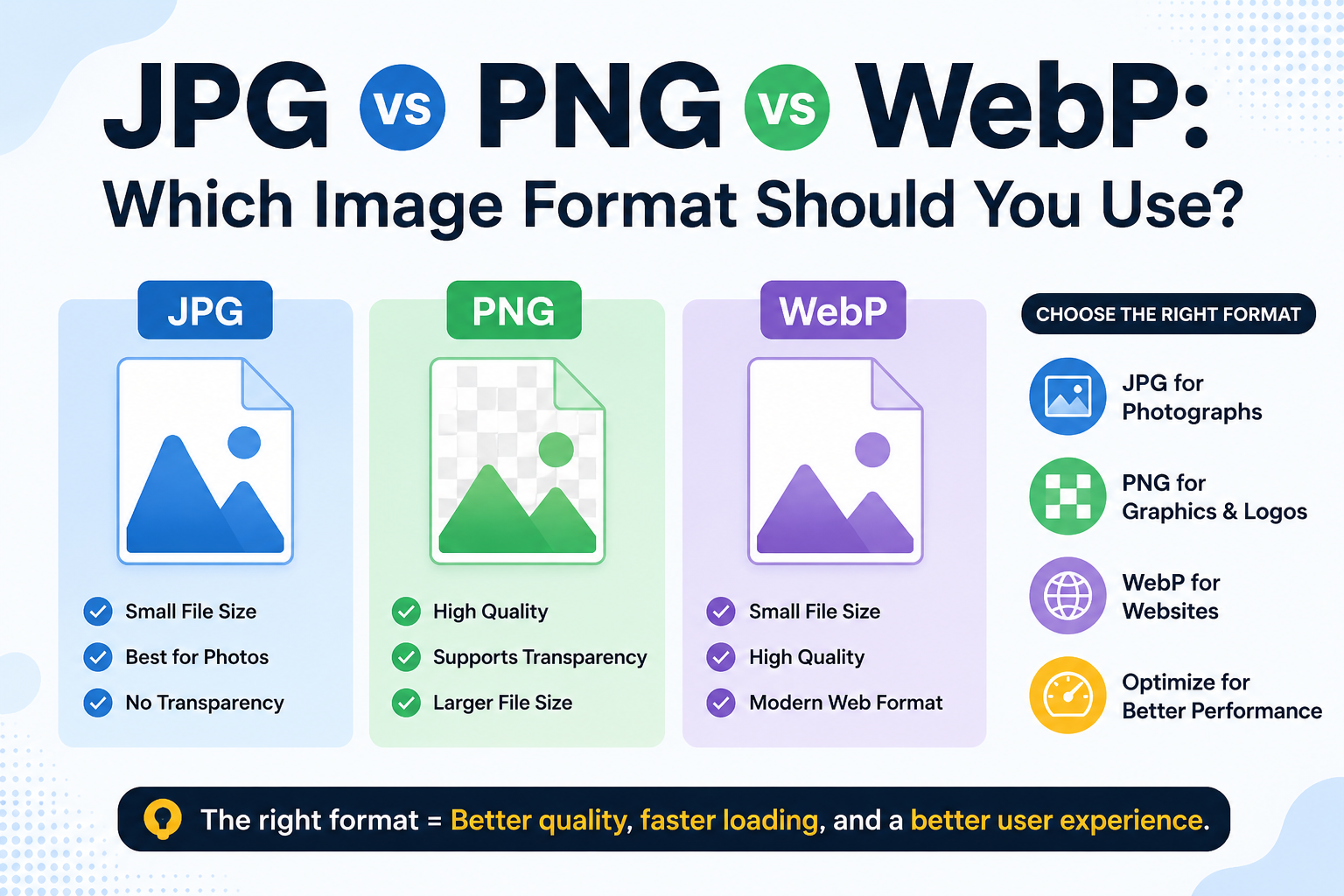
PNG is a trusted, lossless format that supports transparency, and it works everywhere. But it comes with one consistent drawback the files are heavy. For websites carrying multiple PNG images, that weight adds up and drags down load times.
WebP is a new image type developed specifically for the web. It delivers comparable visual quality at a fraction of the file size, typically 25-34% lighter than PNG, according to Google's published data. It also supports transparency, which means switching from PNG doesn't cost you anything visually.
A PNG-to-WebP converter makes that switch effortless. Your PNG goes in, a web-optimized WebP comes out, ready to use in any modern browser.
How to Use the PNG to WebP Tool
Simple process, no setup needed:
- Open the PNG-to-WebP tool at imagetoolz.online
- Click "Choose File" to upload your PNG image
- Or click "Use Remote URL" to paste a direct link to a PNG hosted online
- Hit "Convert"
- Download your WebP file immediately
Use Cases of PNG to WebP Tool
- eCommerce product galleries: Online stores often carry dozens or hundreds of product images. Converting PNG product photos to WebP reduces the total page load burden across the entire catalog.
- Logos and graphics with transparency: Unlike JPG, WebP fully supports transparent backgrounds. So if your PNG logo has a clear background, the WebP version keeps it intact, no white box, no quality trade-off.
- Developer asset pipelines: Front-end developers building performance-optimized projects now treat WebP as a standard.
Benefits of Using Our Tool
- Completely free: no subscription, no hidden charges
- Remote URL support: convert PNG images from the web without downloading them
- Transparency preserved: WebP output keeps transparent backgrounds intact
- No account required: open and use immediately
- Fast conversion: output ready within seconds
- Works on any device: fully browser-based, nothing to install
Common Mistakes to Avoid
- Converting WebP files and expecting universal compatibility. WebP files are supported by browsers like Chrome, Firefox, and Safari, but some older software and desktop applications still don't support them. If your image is destined for a platform outside the browser, check compatibility first.
- Skipping WebP for images that don't need web delivery. If you're creating images for print, email attachments, or desktop software, PNG is often the more practical choice. WebP is built for the web, which is its primary context.
- Not testing after conversion. Always check the converted WebP on your website or target platform before replacing the original. Occasionally, a specific image type doesn't compress as cleanly as expected.
FAQs
Does WebP support transparent backgrounds like PNG?
Yes. WebP supports transparency like PNG. If the PNG background is transparent, the converted WebP file will retain that transparency.
Will all browsers display my WebP images correctly?
Yes. All browsers, including Chrome, Firefox, and Safari (version 14+), support WebP. Browser support is now above 97% globally, making compatibility concerns largely a thing of the past.
Does the tool convert a PNG logo to WebP?
Yes. The tool handles logos and graphics cleanly, and the transparent background is preserved in the output. It's one of the most common uses for this type of conversion.
What should I do if my CMS doesn't accept WebP uploads?
Some older CMS platforms don't support WebP files. In that case, check whether a plugin or update is available that adds WebP support. WordPress, for example, has had native WebP support since version 5.8.
.png)
Image Toolz
CEO / Co-Founder
I am a software engineer, web developer, and Google AdSense expert with two years of experience. I created a free image tools website to provide easy and accessible image tools for everyone.
Popular Tools
Recent Posts