Image Converter
Converts image format from one to another easily using our free online image converter tool at Image Toolz.




Image Converter Convert Images to JPG, PNG, GIF, BMP & WebP
Last year, a friend of mine spent almost 20 minutes trying to upload a product photo to her online store. The image looked perfect. But the platform kept rejecting it as the wrong format.
She had a WebP file. The platform wanted JPG. She had no idea how to fix it, and neither did most of the people she asked.
I told her about an image converter. Two minutes later, the photo was uploaded, and her product was live. That's the kind of problem this tool solves quietly, quickly, and without drama.
What Is an Image Converter?
An image converter is an online tool that easily converts images from one format to another. You upload your file, choose the format you want, and download the converted version. Simple as that.
But here's what makes this particular tool stand out. Most converters handle one format pair at a time: JPG to PNG or WebP to GIF. This Image Converter handles everything in one place. You can convert any image to JPG, PNG, GIF, BMP, or WebP, depending on the situation.
That level of flexibility is harder to find than most people expect. And when you're in the middle of a project with a deadline, having one tool that covers all your bases is genuinely valuable.
How to Use the Image Converter Tool
No technical knowledge needed. Here's exactly how it works:
- Open the Image Converter on Image Toolz
- Drag and drop your image into the upload area or click "Choose an Image."
- Prefer working from the web? Use "Use Remote URL" and paste your image link directly
- Under "Select New Format", choose your target format: JPG, PNG, GIF, BMP, or WebP
- Click "Convert Image"
- Download your converted file instantly
Use Cases of the Image Converter Tool
Format problems come up in more situations than most people expect. Here's where this tool actually makes a difference:
- E-commerce and product listings: Different platforms have different format requirements. Shopify, Amazon, and Etsy each have their preferences. Being able to convert your image to whatever format is needed on the spot removes a real blocker.
- Social media content creation: Some scheduling tools and platforms handle JPG better than WebP or PNG. A quick conversion keeps your content workflow moving without interruptions.
- Web development and design: Developers switching images to WebP for performance, designers exporting to PNG for quality, clients requesting BMP for legacy systems, all of it is covered in one tool.
- Fixing received files: You receive an image from someone in a format your software doesn't open. Rather than going back and forth asking for a different version, you convert it yourself in seconds.
- School and college projects: Students often encounter formatting restrictions when submitting assignments online. A reliable converter handles that without needing any software installation.
Benefits of Using Our Tool
- 5 formats in one tool: JPG, PNG, GIF, BMP, WebP, all supported
- Drag and drop upload: fast and intuitive
- Remote URL support: convert images from the web without downloading
- Image preview before converting: see what you're working with
- Completely free: no subscription, no hidden limits
- No account required: open and use immediately
- Files deleted after conversion: your images are never stored
Common Mistakes to Avoid
A few things worth knowing before you convert:
- Don't repeatedly convert a compressed image. Every time you convert a JPG to another format and back again, you may lose a small amount of quality. Start from the original file whenever possible.
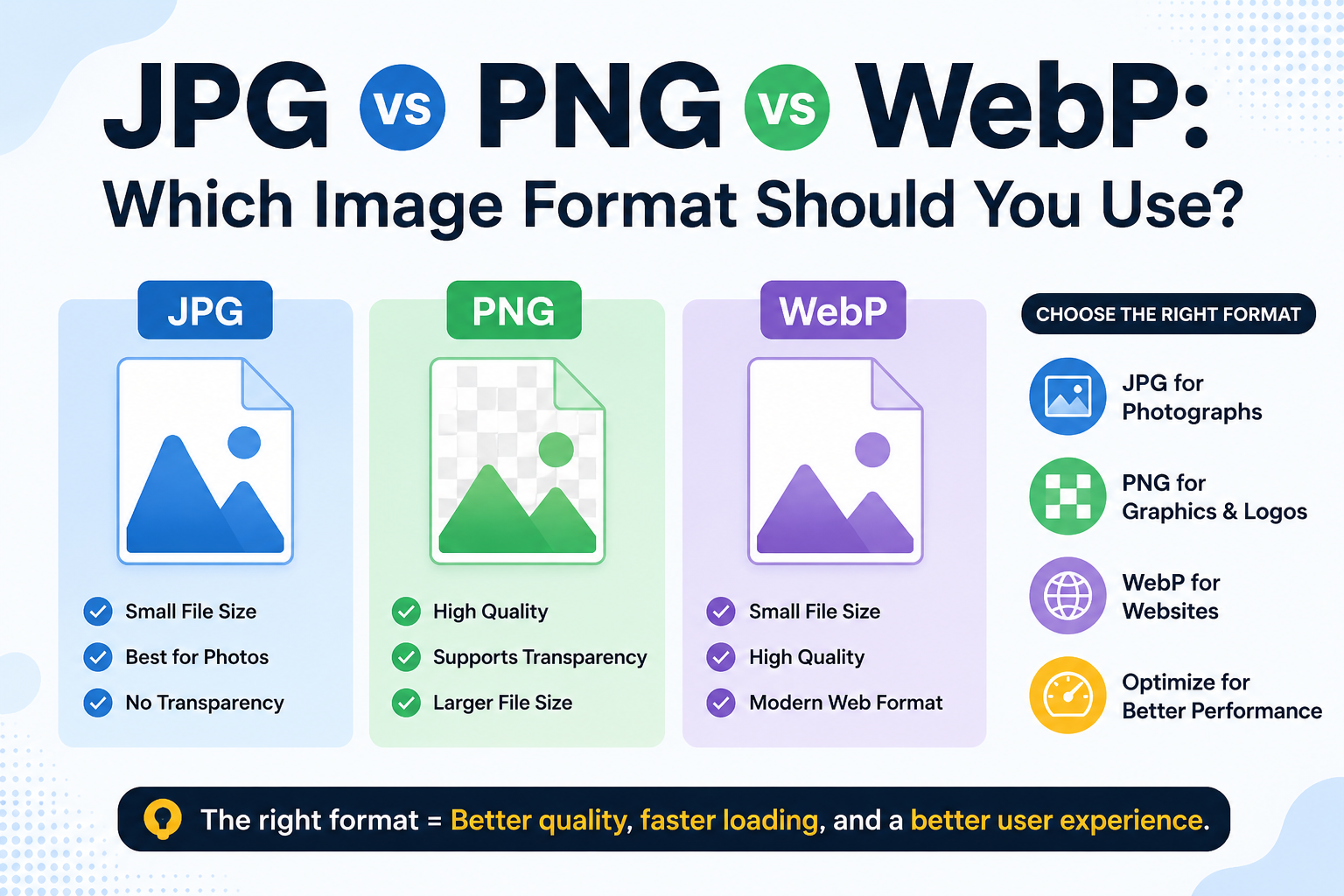
- Select the best format for the job. WebP for websites. PNG for transparency. JPG for photos. BMP for print or software use. GIF for simple web graphics. Converting to the wrong format won't break anything, but it won't yield the best results either.
- Check file size after conversion. Some format conversions produce larger files than expected. If the output is heavier than you need, run it through a compressor afterward.
FAQs
Can I convert any image format into WebP using this tool?
Yes. WebP is one of the five supported output formats. Upload your JPG, PNG, GIF, or BMP image and select WebP as the target format — the tool handles the rest.
Does converting to PNG increase the file size?
Often yes. PNG is a lossless format, so it stores more image data than JPG. If file size is a concern, consider converting to WebP or JPG instead, or compress the PNG after converting.
Can I convert a GIF to JPG using this tool?
Yes. Upload your GIF, select JPG as the output format, and convert. Keep in mind that if your GIF was animated, only the first frame will be used in the JPG output.
Is this tool safe for converting business or client images?
Yes. Files are processed in your browser session and deleted immediately after conversion. Nothing is stored, shared, or accessed by anyone else.
.png)
Image Toolz
CEO / Co-Founder
I am a software engineer, web developer, and Google AdSense expert with two years of experience. I created a free image tools website to provide easy and accessible image tools for everyone.
Popular Tools
Recent Posts